Build Your First REST API with NestJS
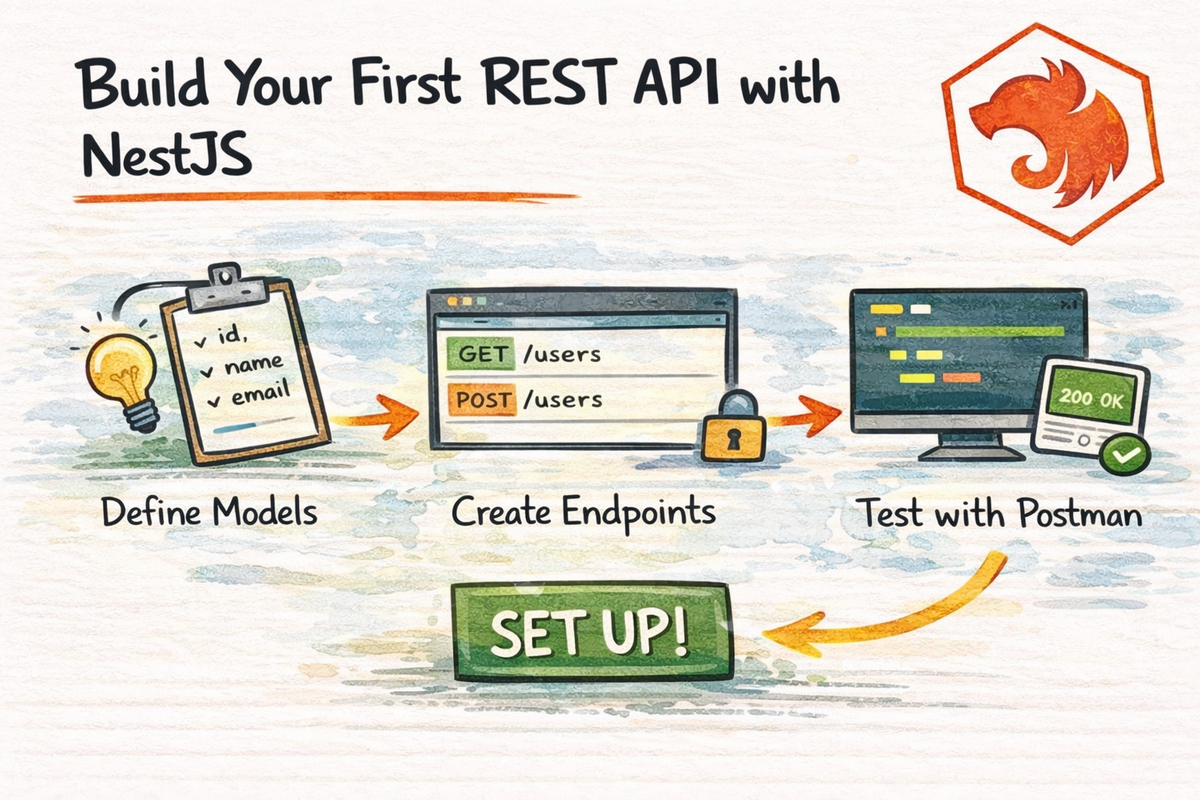
Up to this point in the series, we have covered the building blocks of NestJS:
- modules
- controllers
- providers
- dependency injection
- TypeScript and decorators
- request lifecycle
- pipes and DTOs
- guards
- interceptors and exception filters
Which is great.
But at some point, every beginner reaches the same moment:
“Cool… but when do I actually build a real API?”
That moment is now.
In this article, we are going to put the pieces together and build a simple REST API in NestJS.
Nothing too fancy.
Nothing overly “enterprise.”
Just a clean beginner-friendly CRUD-style API that helps everything click.
By the end, you will understand:
- how to structure a REST API feature in NestJS
- how modules, controllers, and services work together in a real example
- how DTOs and validation fit into API endpoints
- how to design basic CRUD routes
- how to add Swagger docs
- how to think about versioning and cleaner API design
Let’s build something useful.
What We’re Building
We are going to build a simple posts API.
It will support routes like:
GET /postsGET /posts/:idPOST /postsPATCH /posts/:idDELETE /posts/:id
This is enough to teach the core REST pattern without making the example too heavy.
The goal here is not database complexity.
The goal is to understand how a clean NestJS REST API fits together.
Nest’s official “First steps” still teaches core concepts by building a basic CRUD application, so this kind of example is exactly the right level for beginners. :contentReference[oaicite:1]{index=1}
What REST Means in This Context
REST is a style of building HTTP APIs around resources.
In this case, the resource is:
posts
That means:
GET /posts→ list postsGET /posts/:id→ fetch one postPOST /posts→ create a postPATCH /posts/:id→ update a postDELETE /posts/:id→ remove a post
Nest’s controller docs still show this exact style of route definition using method decorators such as @Get() and route prefixes in @Controller(). :contentReference[oaicite:2]{index=2}
So if you have been wondering when all those decorators finally become useful, this is where they start earning their keep.
Step 1: Generate the Feature Structure
Nest gives you a few ways to scaffold API code.
You can create pieces manually with:
nest g module postsnest g controller postsnest g service posts
Or you can use the resource generator:
nest g resource postsNest’s CLI docs and CRUD generator docs still recommend the resource generator as a fast way to create a CRUD-style feature with module, controller, service, DTOs, and related files.
For learning, I actually like understanding the pieces individually first.
So let’s think in terms of these files:
posts.module.tsposts.controller.tsposts.service.tsdto/create-post.dto.tsdto/update-post.dto.ts
That is a nice clean feature structure.
Step 2: Create the Module
Your module groups the feature together.
import { Module } from '@nestjs/common';
import { PostsController } from './posts.controller';
import { PostsService } from './posts.service';

@Module({
  controllers: [PostsController],
  providers: [PostsService],
})
export class PostsModule {}
Nest’s module docs still define a module as a class decorated with @Module() whose metadata helps Nest organize and manage application structure efficiently.
So here the module is simply saying:
- this feature has a controller
- this feature has a service
- these belong together
Very clean.
Step 3: Create the Service
The service holds the business logic.
For a beginner example, we can use an in-memory array instead of a database.
import { Injectable, NotFoundException } from '@nestjs/common';

@Injectable()
export class PostsService {
  private posts = [
    { id: 1, title: 'First post', content: 'Hello NestJS' },
    { id: 2, title: 'Second post', content: 'REST APIs are fun' },
  ];

  findAll() {
    return this.posts;
  }

  findOne(id: number) {
    const post = this.posts.find((post) => post.id === id);

    if (!post) {
      throw new NotFoundException(`Post with id ${id} not found`);
    }

    return post;
  }

  create(data: { title: string; content: string }) {
    const newPost = {
      id: this.posts.length + 1,
      ...data,
    };

    this.posts.push(newPost);
    return newPost;
  }

  update(id: number, data: { title?: string; content?: string }) {
    const post = this.findOne(id);

    Object.assign(post, data);
    return post;
  }

  remove(id: number) {
    const index = this.posts.findIndex((post) => post.id === id);

    if (index === -1) {
      throw new NotFoundException(`Post with id ${id} not found`);
    }

    const deleted = this.posts[index];
    this.posts.splice(index, 1);
    return deleted;
  }
}
Nest’s provider docs still describe providers as core Nest building blocks that can be injected as dependencies, with services being the most familiar example.
This is exactly the kind of logic that belongs in a provider, not in a controller.
Step 4: Create the DTOs
Now let’s define the input shape for creating and updating posts.
create-post.dto.ts
import { IsNotEmpty, IsString, MinLength } from 'class-validator';

export class CreatePostDto {
  @IsString()
  @IsNotEmpty()
  @MinLength(3)
  title: string;

  @IsString()
  @IsNotEmpty()
  @MinLength(10)
  content: string;
}
update-post.dto.ts
import { PartialType } from '@nestjs/mapped-types';
import { CreatePostDto } from './create-post.dto';

export class UpdatePostDto extends PartialType(CreatePostDto) {}
Nest’s validation docs still position DTO classes plus ValidationPipe as the standard approach for validating incoming payloads. Nest’s mapped types docs also still recommend helpers like PartialType() to create update DTOs from create DTOs with less boilerplate.
That means:
CreatePostDtois strictUpdatePostDtoallows partial updates
Very practical.
Very REST-friendly.
Step 5: Create the Controller
Now we connect HTTP routes to the service.
import {
  Body,
  Controller,
  Delete,
  Get,
  Param,
  ParseIntPipe,
  Patch,
  Post,
} from '@nestjs/common';
import { PostsService } from './posts.service';
import { CreatePostDto } from './dto/create-post.dto';
import { UpdatePostDto } from './dto/update-post.dto';

@Controller('posts')
export class PostsController {
  constructor(private readonly postsService: PostsService) {}

  @Get()
  findAll() {
    return this.postsService.findAll();
  }

  @Get(':id')
  findOne(@Param('id', ParseIntPipe) id: number) {
    return this.postsService.findOne(id);
  }

  @Post()
  create(@Body() body: CreatePostDto) {
    return this.postsService.create(body);
  }

  @Patch(':id')
  update(
    @Param('id', ParseIntPipe) id: number,
    @Body() body: UpdatePostDto,
  ) {
    return this.postsService.update(id, body);
  }

  @Delete(':id')
  remove(@Param('id', ParseIntPipe) id: number) {
    return this.postsService.remove(id);
  }
}
Nest’s controller docs still describe controllers as the classes responsible for handling incoming requests and returning responses, using decorators like @Controller(), @Get(), @Post(), and parameter decorators such as @Body() and @Param().
This is where the structure really starts to feel satisfying:
- controller handles routes
- service handles logic
- DTOs handle input shape
- pipes help validate/transform route parameters
Very NestJS.
Step 6: Enable Validation Globally
If you want DTO validation to work properly across your app, turn on ValidationPipe globally in main.ts.
import { NestFactory } from '@nestjs/core';
import { ValidationPipe } from '@nestjs/common';
import { AppModule } from './app.module';

async function bootstrap() {
  const app = await NestFactory.create(AppModule);

  app.useGlobalPipes(
    new ValidationPipe({
      whitelist: true,
      forbidNonWhitelisted: true,
      transform: true,
    }),
  );

  await app.listen(3000);
}
bootstrap();
Nest’s validation docs still show global ValidationPipe as a common setup and document these options:
whitelistto strip extra properties,forbidNonWhitelistedto reject them,transformto convert incoming values to the expected types.
This is one of the easiest ways to make your API feel cleaner and safer immediately.
Step 7: Register the Module
Make sure your feature module is imported into the root module.
import { Module } from '@nestjs/common';
import { PostsModule } from './posts/posts.module';

@Module({
  imports: [PostsModule],
})
export class AppModule {}
Nest’s module docs still explain that every Nest app has at least one root module, and that feature modules are the recommended way to organize larger applications.
Without this import, your posts feature exists in spirit only, which is not quite enough.
What the API Looks Like Now
Once everything is wired up, your API supports:
Get all posts
GET /posts
Get one post
GET /posts/1
Create a post
POST /posts
Content-Type: application/json
{
  "title": "My new post",
  "content": "This is my first REST API in NestJS"
}
Update a post
PATCH /posts/1
Content-Type: application/json
{
  "title": "Updated title"
}
Delete a post
DELETE /posts/1
That is your first real REST API.
Simple, but very solid.
Why This Structure Works So Well
This is the part that matters more than the code itself.
The structure works because each part has a clear job:
- Module groups the feature
- Controller handles routes
- Service handles logic
- DTOs define and validate input
- Pipes transform and guard arguments
Nest’s official docs consistently teach these as the core building blocks of a clean application.
That means even a tiny beginner API is already training you to think in a scalable way.
Which is one of the nicest things about Nest.
Adding Swagger Documentation
Once your API starts growing, documentation becomes really useful.
Nest’s OpenAPI docs still recommend using SwaggerModule and DocumentBuilder to generate an OpenAPI document from your routes and metadata.
Install the package if needed:
npm install @nestjs/swaggerThen in main.ts:
import { NestFactory } from '@nestjs/core';
import { ValidationPipe } from '@nestjs/common';
import { SwaggerModule, DocumentBuilder } from '@nestjs/swagger';
import { AppModule } from './app.module';

async function bootstrap() {
  const app = await NestFactory.create(AppModule);

  app.useGlobalPipes(
    new ValidationPipe({
      whitelist: true,
      forbidNonWhitelisted: true,
      transform: true,
    }),
  );

  const config = new DocumentBuilder()
    .setTitle('Posts API')
    .setDescription('My first NestJS REST API')
    .setVersion('1.0')
    .build();

  const document = SwaggerModule.createDocument(app, config);
  SwaggerModule.setup('docs', app, document);

  await app.listen(3000);
}
bootstrap();
Now your docs will be available at:
http://localhost:3000/docsThat is a very nice upgrade for developer experience.
Making DTOs Better in Swagger
Nest’s OpenAPI docs note that Swagger can inspect @Body(), @Query(), and @Param() decorators and generate models from reflection metadata, but explicit API decorators can make docs clearer.
You can enhance the DTO like this:
import { ApiProperty } from '@nestjs/swagger';
import { IsNotEmpty, IsString, MinLength } from 'class-validator';

export class CreatePostDto {
  @ApiProperty({ example: 'My first post' })
  @IsString()
  @IsNotEmpty()
  @MinLength(3)
  title: string;

  @ApiProperty({ example: 'This is a beginner-friendly NestJS REST API post.' })
  @IsString()
  @IsNotEmpty()
  @MinLength(10)
  content: string;
}
This is optional early on, but it makes your docs much nicer.
A Note on Proper HTTP Status Codes
Even in a small API, try to think in terms of correct HTTP behavior.
Examples:
200 OKfor successful reads201 Createdfor successful creation400 Bad Requestfor invalid input404 Not Foundwhen a resource does not exist
Nest already helps a lot here because built-in exceptions like NotFoundException map to the right HTTP status automatically through the framework’s exceptions layer.
So even beginners can write pretty clean API behavior without tons of manual response code.
A Note on API Versioning
You do not need versioning on day one.
But it is smart to know it exists.
Nest’s versioning docs still say HTTP-based applications can support multiple controller or route versions in the same app, with several versioning strategies available.
A common setup in main.ts looks like this:
import { VersioningType } from '@nestjs/common';

app.enableVersioning({
  type: VersioningType.URI,
});
That can give you routes like:
/v1/postsVery handy once your API starts evolving.
Not necessary for a tiny demo.
Very useful later.
Common Beginner Mistakes When Building a REST API in NestJS
Let’s save you some pain.
1. Putting all logic in the controller
This is the classic mistake.
Controllers should stay relatively thin.
Services should do the real work.
2. Skipping DTOs
You can accept raw any everywhere.
You can also make your future self very unhappy.
DTOs are worth it.
3. Forgetting global validation
If ValidationPipe is not enabled, your DTO decorators will not magically enforce themselves.
4. Not parsing route params
Route parameters come in as strings.
Use ParseIntPipe or transformation where needed. Nest’s pipes docs and controller examples still use this pattern for numeric IDs.
5. Mixing transport concerns with business logic
Formatting request data, checking route params, and shaping HTTP behavior should not all live in service methods.
6. Ignoring docs until too late
Swagger is much easier to add early than after your API becomes a maze.
A Good Mental Model to Remember
Here is the simplest way to think about a NestJS REST feature:
- module = feature container
- controller = HTTP entry point
- service = business logic layer
- DTO = input contract
- validation pipe = input gatekeeper
That is the pattern.
And honestly, once this clicks, building REST APIs in NestJS becomes a lot more enjoyable.
Why This Chapter Matters
This chapter is important because it is the first time the whole framework starts working together in a practical way.
Before this, the concepts can feel separate.
After this, they start to connect:
- decorators define routes
- controllers receive requests
- services handle logic
- DTOs protect input
- validation improves safety
- Swagger improves developer experience
That is the moment NestJS starts feeling like a real backend framework instead of just a list of concepts.
And that is a good moment.
Final Thoughts
Building your first REST API in NestJS is where the framework really starts to click.
Nest’s official learning path still teaches the core fundamentals through a CRUD-style application, which makes sense because CRUD brings together controllers, providers, modules, validation, and routing in one practical example.
The main thing to remember is this:
- define the feature with a module
- expose routes with a controller
- keep logic in a service
- protect input with DTOs and validation
- document the API with Swagger when you are ready
That is already a strong beginner foundation.
And once you can build a clean basic REST API, the next step is making it feel more production-ready with things like:
- better validation strategy
- versioning
- cleaner error handling
- Swagger documentation best practices
Which is exactly what we will cover next.
FAQ
What is the easiest way to create a REST API feature in NestJS?
A common beginner approach is to create a module, controller, service, and DTOs for one resource. Nest also provides nest g resource <name> as a faster scaffold for CRUD-style features.
Should I use DTOs in a small NestJS API?
Yes. DTOs help define input shape clearly and work naturally with ValidationPipe, which is Nest’s standard validation approach.
Do I need Swagger in my first NestJS API?
Not strictly, but it becomes useful very quickly. Nest’s official OpenAPI docs still use SwaggerModule and DocumentBuilder for generated API docs.
How do I validate request input in NestJS?
Use DTO classes with validation decorators and enable ValidationPipe, often globally in main.ts.
Does NestJS support API versioning?
Yes. Nest has built-in HTTP versioning support with several strategies, including URI-based versioning.