When a NestJS App Starts Growing: Scalable Architecture Basics
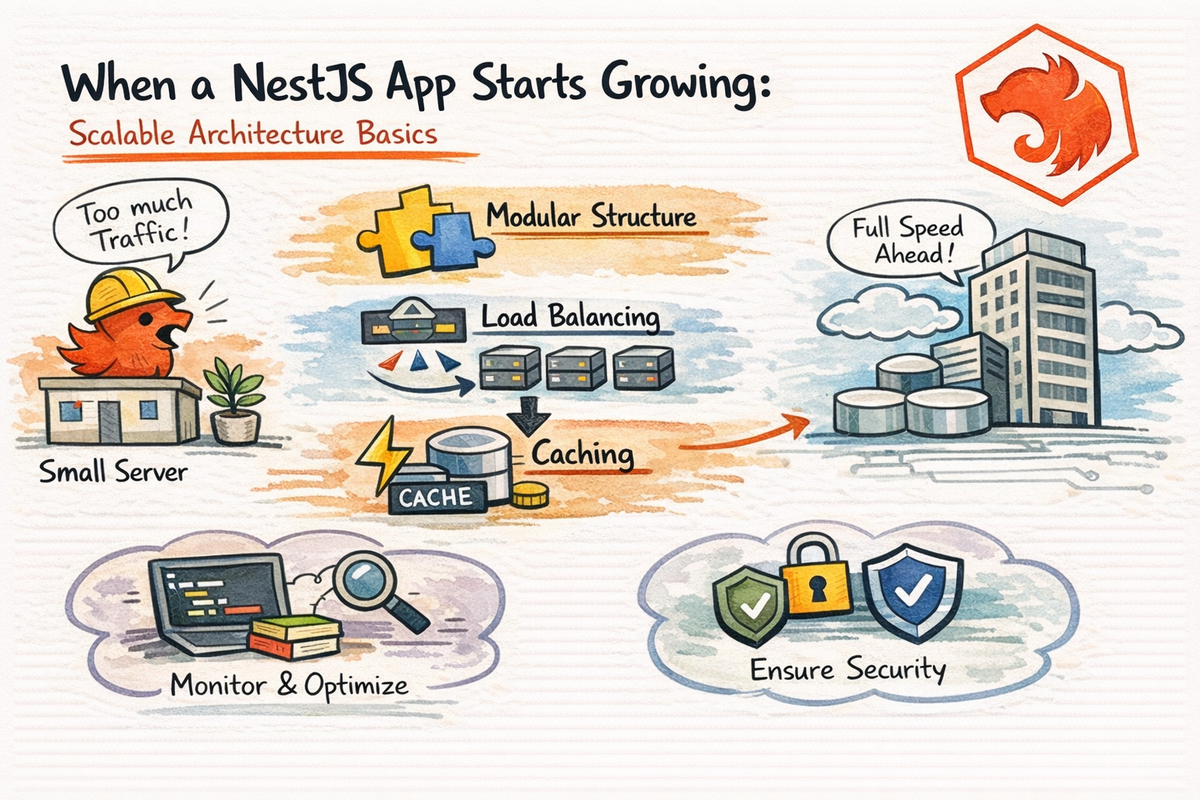
At the beginning, a NestJS app feels pretty manageable.
You have:
- a few modules
- a few routes
- some DTOs
- a service or two
- maybe a little auth
- maybe some Swagger
- and life feels reasonably calm
Then the app grows.
And suddenly:
- modules start depending on each other too much
- business logic shows up in strange places
- shared code becomes a mystery
- request-specific hacks start leaking everywhere
- configuration gets messy
- performance gets weird
- and the app still works, but now it works with stress
This is the stage where architecture starts mattering a lot more.
Not because your app suddenly needs a giant “enterprise transformation.”
Just because once a project grows, structure becomes part of performance, maintainability, and team sanity.
In this article, we are going to look at the basics of scalable architecture in NestJS.
By the end, you will understand:
- why apps get messy as they grow
- why modular design matters so much
- why singleton scope is usually the right default
- why request scope should be used carefully
- how async thinking changes architecture
- where caching and configuration fit in
- how to keep growth from turning into chaos
Let’s talk about what happens after your app stops being “small and cute.”
Why Growing Apps Suddenly Feel Harder
A small app can survive a lot of bad decisions.
A bigger app cannot.
Why?
Because growth multiplies every design choice.
A slightly messy folder structure becomes:
- hard to navigate
- harder to onboard into
- harder to refactor
A slightly unclear module boundary becomes:
- duplicated logic
- accidental cross-dependencies
- confusing ownership
A slightly lazy config setup becomes:
- bugs across environments
- hard-to-debug startup issues
- hidden runtime surprises
So when people say scalability, they do not only mean:
- more traffic
- more servers
- more users
They also mean:
- more code
- more features
- more developers
- more moving parts
That kind of scaling is just as real.
And honestly, it is often the one you feel first.
Scalability Is Not Only About Performance
This is one of the most useful mindset shifts.
A scalable application is not just one that handles more requests per second.
It is also one that:
- stays understandable
- stays testable
- stays modular
- stays easier to change
- does not collapse every time you add one more feature
So when we talk about scalable architecture in NestJS, we are really talking about three kinds of growth:
1. Codebase growth
More features, more files, more business rules.
2. Team growth
More people touching the project.
3. Runtime growth
More traffic, more jobs, more background work, more load.
Good architecture helps with all three.
That is the real target.
Modular Design Is the First Big Scaling Habit
Nest’s modules docs still describe modules as the mechanism that organizes the application structure, and they emphasize that modules encapsulate providers by default unless those providers are explicitly exported.
That is a huge architectural gift.
Because it means Nest is already pushing you toward feature boundaries.
And feature boundaries matter a lot when apps grow.
A Good Scaling Question
Instead of asking:
“Where should I put this file?”
start asking:
“Which feature or business area owns this logic?”
That usually leads to cleaner decisions.
For example, instead of building one giant shared blob, you create modules like:
UsersModuleAuthModulePostsModuleBillingModuleNotificationsModule
Each module becomes a feature boundary.
That makes the app easier to:
- reason about
- change
- test
- extend
Very worth it.
Good Modules Are Not Just Folders
A common beginner mistake is thinking a module is basically “just a folder with files in it.”
Not quite.
A Nest module is also a visibility boundary.
Nest’s docs explicitly say modules encapsulate providers by default, and only providers in the current module or exported from imported modules are injectable there.
That means a good module has:
- a clear internal implementation
- a smaller public surface
- explicit exports when sharing is truly needed
That is a lot better than letting every part of the app depend on every other part casually.
So yes, folder organization matters.
But module boundaries matter more.
The Default Provider Scope Is Good for a Reason
Nest’s providers docs still describe the normal provider lifetime as aligned with the application lifecycle, which is the default singleton-style behavior.
That means for most services, Nest creates one shared instance and reuses it.
This is usually exactly what you want.
Why?
Because singleton-style providers are:
- efficient
- predictable
- simple
- easier to reason about
And most business services do not need a fresh instance per request.
Examples that are usually fine as default singletons:
- user service
- posts service
- auth service
- email service
- config service
- caching service
This default is not some accidental framework choice.
It is a scaling-friendly default.
Request Scope Is Useful, but It Has a Cost
Nest’s injection scopes docs still warn that request scope bubbles up the dependency chain: if a controller depends on a request-scoped provider, that controller becomes request-scoped too. They also note that a new instance is created per incoming request.
This matters a lot.
Because request scope sounds convenient at first.
You think:
- “Nice, I can keep request-specific state here.”
- “Nice, I can access the request easily.”
- “Nice, this will make context passing easier.”
And sometimes that is true.
But the trade-off is that request scope increases object creation and can spread further than you expect through the dependency chain. That bubbling behavior is specifically documented by Nest.
Use Request Scope Carefully
Good reasons to consider request scope:
- true per-request state
- request tracking
- multi-tenancy context
- some GraphQL request-level patterns
- request-aware CQRS handlers or context propagation
Bad reasons:
- “I was not sure where else to put this”
- “It felt cleaner than passing parameters”
- “I wanted quick access to request data everywhere”
That is how apps quietly get heavier.
So the beginner rule is:
default to singletons unless request scope solves a real problem
That is a very healthy scaling habit.
Async Local Storage Is Often a Better Fit Than Spreading Request Scope Everywhere
Nest now has an official AsyncLocalStorage recipe, and it describes ALS as a way to propagate local state through the application without explicitly threading it through every function parameter.
This is really useful.
Because a common reason developers reach for request scope is:
- correlation IDs
- current user context
- tracing metadata
- tenant info
- request-local flags
And sometimes, using AsyncLocalStorage is a cleaner way to carry that kind of context without making half the dependency graph request-scoped. Nest’s official ALS recipe exists precisely because this is a real architectural need.
That does not mean ALS solves everything.
But it does mean modern Nest apps have a better option than “just make more providers request-scoped.”
That is a useful architectural upgrade.
Shared Logic Should Be Shared on Purpose, Not by Accident
As apps grow, shared logic becomes tricky.
Because some “shared” code is truly shared.
And some “shared” code is just feature logic that got dumped into a common folder too early.
This is a subtle but important scaling problem.
Bad Shared Code Usually Looks Like
- random helpers no one owns
- services reused by five modules without a clear boundary
- utility files that quietly know too much about business rules
- “common” modules that become a dumping ground
Better Shared Code Usually Looks Like
- infrastructure-style services
- logging
- config access
- generic caching helpers
- auth primitives
- actual reusable abstractions with a clear reason to exist
A good rule is:
do not extract something into “shared” just because you used it twice
Extract it when it has a real stable meaning.
That keeps your architecture cleaner over time.
Asynchronous Thinking Becomes More Important as the App Grows
Big apps tend to do more than just respond to direct HTTP requests.
They start doing things like:
- send emails
- publish events
- trigger jobs
- process files
- sync external systems
- update analytics
- run background workflows
That is where async thinking becomes important.
Not everything should happen directly in the request-response path.
A request that must:
- write to a database
- call three services
- send an email
- notify another system
- update metrics
- wait for all of it to finish
can become slow and fragile very quickly.
So scalable architecture often means asking:
What must happen now, and what can happen later?
That one question changes a lot.
Caching Becomes More Useful Than People Expect
Nest’s caching docs still describe caching as a straightforward performance technique that speeds up access to frequently used data and reduces repeated fetches or computations.
That means caching is not only a “big company” concern.
It becomes useful surprisingly early.
Examples:
- frequently requested lists
- expensive derived data
- config-like reference data
- external API results
- repeated lookups that do not change often
Why Caching Helps Architecture Too
Caching is not only about speed.
It can also reduce:
- unnecessary load on databases
- repeated network calls
- duplicated expensive computation
That makes the whole system calmer.
Which is a very underrated quality.
Of course, caching also introduces its own questions:
- what is the TTL?
- what invalidates the cache?
- when does stale data become a problem?
So yes, caching helps.
But it helps most when done intentionally, not just sprinkled everywhere.
Configuration Management Is Part of Scalability
Nest’s configuration docs still recommend using a configuration module and @nestjs/config for loading environment-based configuration, instead of scattering process.env usage all over the codebase.
This is a very big deal in growing apps.
Because at first, config looks harmless.
You hardcode a few values.
You read one env var here.
One more there.
It seems fine.
Then you have:
- local env
- staging env
- production env
- test env
- secrets
- feature flags
- external service URLs
- DB settings
- cache settings
And suddenly config becomes architecture.
A Better Habit
Instead of doing this everywhere:
const url = process.env.SOME_SERVICE_URL;
centralize config access through a proper config layer.
That gives you:
- one place for env handling
- easier validation
- cleaner testing
- fewer typo-driven bugs
- more predictable behavior across environments
This is one of those habits that feels “optional” early and essential later.
Feature Boundaries Matter More Than Reuse Obsession
When apps grow, developers often become very eager to “reuse everything.”
That instinct is understandable.
But too much early reuse can damage clarity.
Sometimes the more scalable choice is not:
- “How do I make this perfectly reusable?”
It is:
- “How do I keep this feature boundary clean?”
Because over-shared abstractions can create:
- hidden coupling
- hard-to-change dependencies
- strange ownership
- confusing module graphs
A clean architecture is not the one with the fewest duplicate lines.
It is the one where responsibilities stay understandable.
That is a much better scaling principle.
Watch Out for Circular Dependencies as the App Expands
Nest’s circular dependency docs still warn about circular relationships and note that request-scoped circular dependencies can even lead to undefined dependencies. They recommend refactoring or carefully using tools like forwardRef() or ModuleRef where appropriate.
This matters more as your app grows because the more cross-module interactions you add, the more likely it is that:
- service A needs service B
- service B starts needing service A
- module imports start looping
- architecture gets tight and tangled
A little bit of this may be fixable.
A lot of it is usually a sign that boundaries need to be rethought.
So yes, forwardRef() exists.
But the deeper scalable lesson is:
if circular dependencies keep showing up, architecture probably wants refactoring
That is the healthier way to read the signal.
Observability Starts as a Debugging Tool and Becomes an Architecture Tool
As apps grow, logs, metrics, and traces stop being “nice extras.”
They become how you understand the system at all.
A small app can survive with:
- console logs
- memory
- luck
A larger app cannot.
This matters for scaling because once you have:
- more modules
- more background work
- more async operations
- more environments
- more traffic
you need better visibility.
That means architecture should leave room for:
- structured logging
- request IDs
- error visibility
- timing visibility
- operational dashboards later
This is one reason context propagation and AsyncLocalStorage become more relevant in larger systems too. Nest’s official ALS recipe exists precisely because request-local context becomes important across asynchronous flows.
What “Scalable” Usually Looks Like in a Real NestJS Codebase
A scalable NestJS codebase usually feels like this:
- feature modules are clear
- services are mostly singleton-scoped
- request scope is rare and intentional
- config is centralized
- caching is added where it truly helps
- request-local context is handled thoughtfully
- cross-module sharing is explicit
- async work is separated from request-critical work
- architecture is optimized for clarity, not only cleverness
Notice what is not on that list:
- “must be microservices immediately”
- “must use every advanced pattern”
- “must be extremely abstract”
Scalable does not mean overbuilt.
It means your design survives growth better.
That is a much more useful goal.
Common Beginner Scaling Mistakes
Let’s save some future pain.
1. Creating giant shared modules too early
This often becomes a dumping ground instead of a clean abstraction.
2. Making too many things request-scoped
Nest’s docs explicitly show that request scope bubbles and creates more per-request instances. Use it carefully.
3. Treating every repeated line as a reason to abstract
Sometimes repetition is less harmful than coupling.
4. Reading process.env everywhere
Config should become a system, not a scavenger hunt. Nest’s config docs exist for exactly this reason.
5. Ignoring async architecture until performance hurts
By then, refactoring is harder.
6. Using caches without an invalidation story
Fast wrong data is still wrong data.
7. Solving every growth problem with more framework tricks
Usually the real fix is clearer boundaries, not more cleverness.
A Good Mental Model to Remember
Here is a simple way to think about scalable NestJS architecture:
- modules protect feature boundaries
- singletons are the normal efficient default
- request scope is a special-case tool
- async design removes pressure from request paths
- caching reduces repeated work
- config keeps environments sane
- observability keeps the system understandable
If that sentence sticks, you already have a strong scaling foundation.
Why This Chapter Matters
This chapter matters because a lot of NestJS content teaches you how to build features, but not enough teaches you how to keep the project healthy once those features start piling up.
That is where architecture earns its value.
Not when the app is tiny.
When the app is bigger, more connected, more shared, and more likely to become messy.
That is when clean boundaries, sane scopes, and thoughtful async design really start paying off.
And learning that early is a huge advantage.
Final Thoughts
A growing NestJS app does not suddenly become hard because Nest stops being good.
It becomes hard because growth reveals every unclear boundary and every casual shortcut.
The good news is that Nest gives you a lot of help here:
- modules as visibility boundaries,
- singleton providers as the normal default,
- request scope when you truly need it,
- official configuration support,
- official caching support,
- and even an official
AsyncLocalStoragerecipe for request-local context propagation.
So the goal is not to build the most advanced architecture possible on day one.
It is to build an architecture that can grow without becoming painful too quickly.
That is the real win.
And now that you understand the basics of scalable architecture, the next step is the topic people always get curious about once an app starts growing:
Because that is where the question changes from
“How do I organize one app well?”
to
“When should one app become more than one?”
Real Interview Questions
What makes a NestJS app scalable?
A scalable NestJS app is not only one that handles more traffic. It is also one with clear module boundaries, manageable dependency flow, centralized configuration, and architecture that stays understandable as code and teams grow. Nest’s module and config docs strongly support this style.
Should I use request-scoped providers in NestJS by default?
Usually no. Nest’s docs show that request scope creates per-request instances and bubbles up the dependency chain, so it should be used intentionally rather than as a default pattern.
What is the default provider scope in NestJS?
The normal default is the application-lifecycle-aligned provider lifetime, which behaves like a singleton in most standard app setups.
How does AsyncLocalStorage help in NestJS?
Nest’s official recipe presents AsyncLocalStorage as a way to propagate local state through async flows without manually passing that state through every function parameter.
Does NestJS support caching officially?
Yes. Nest has official caching docs and treats caching as a straightforward performance technique for reducing repeated fetches or computations.
Why is centralized configuration important in growing NestJS apps?
Because environment-based values multiply as apps grow, and Nest’s configuration docs recommend a proper config module approach to avoid scattering env access throughout the codebase.
Suggested Internal Links for CodeWithZiye.com
- Debugging NestJS Apps: Common Problems and How to Find Them Faster
- NestJS Microservices for Beginners: When and How to Split Services
- Why Dependency Injection Makes NestJS Feel So Clean
- REST API Best Practices in NestJS: Validation, Versioning, and Swagger